
Help Centre - Frequently Asked Questions
Search
Search Results
If none of the above FAQs answer your question, please submit your query to our dedicated support team.
How do I make the text bigger or smaller on my screen?
If you feel that the text displayed on the website is too large or too small, you can change the size by using the menu toolbar at the top of your screen.
For Internet Explorer 7, 8 or 9 click on 'Tools' ( in the top right hand corner of the screen) and then select 'text size' or 'Zoom'.
Google Chrome, click on the spanner icon which will be shown in the top right or left hand side of the page and then select 'Web content' You can change the font size from here.
If you're using Mozilla Firefox as your browser, then go to View > Text size and select 'increase' or 'decrease' to change the size of the text.
Electoral Roll records
Looking for living relatives?
Search our UK Electoral Rolls (2002-2013) and find your living relatives today.

The British Newspaper Archive

Read about historical events at the time they were happening. Perhaps you'll discover your ancestor in their local newspaper?
New Military Records
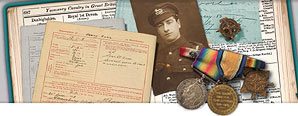
Was your ancestor a war hero?
View thousands of new military records including Chelsea Pensioner records, Military Nurses, Prisoners of war and much more.
Gift subscriptions

Do you know someone interested in discovering their family history?
You can now buy a gift subscription to Genes Reunited so they can research their family tree.